
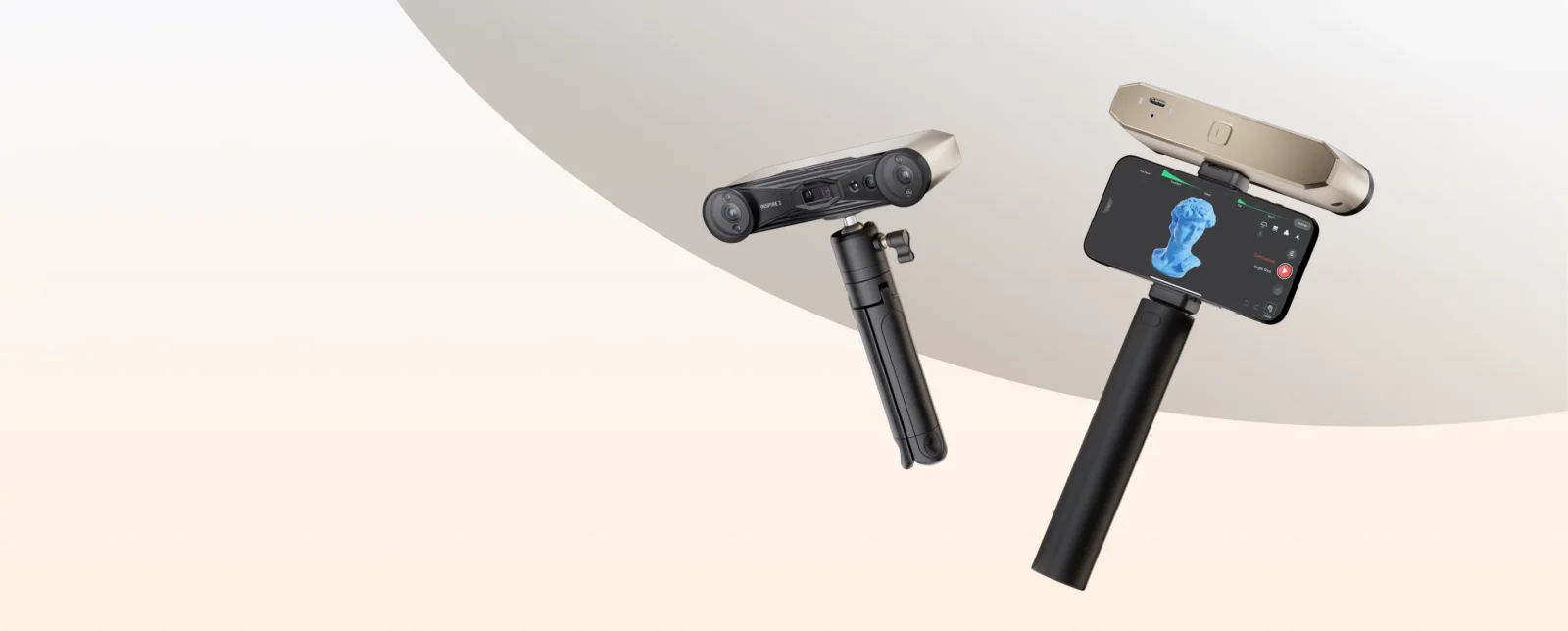

The 3D digitization market is constantly evolving, Revopoint is a well-known brand among our readers that is characterized by democratizing access to these devices.
Revopoint, in case you are not familiar, is a company founded in 2014 focused on building accessible and quality 3D scanners that have several reference models in the 3D world.
Within its range of 3D scanners, it includes the series POP, RANGE, MINI, MIRACO, METROX, and this new INSPIRE 2. Its range of models allow virtually any 3D scanning need to be covered such as 3D printing, reverse engineering, health, art, and design, etc.
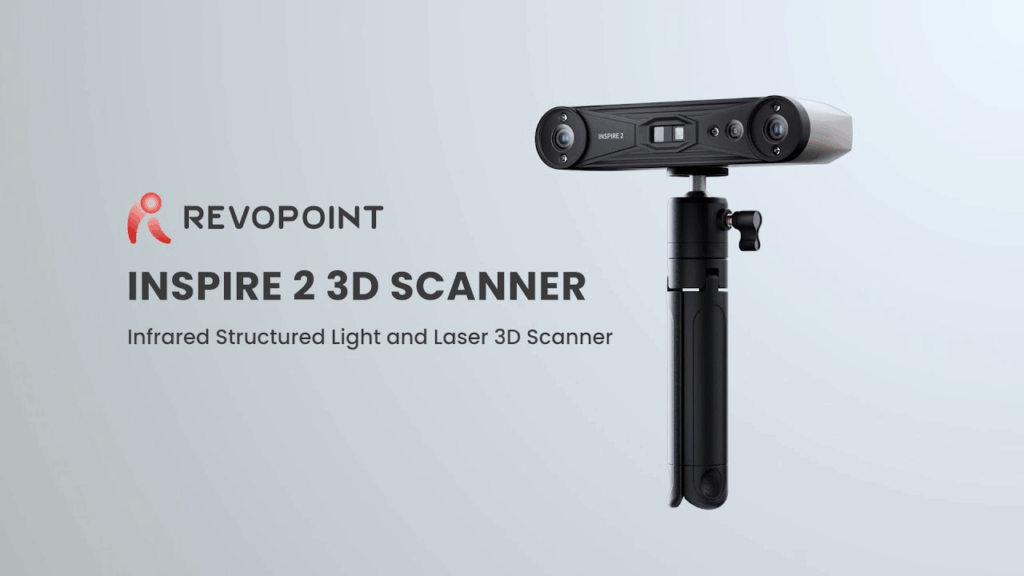
This INSPIRE 2 is a scanner designed especially with the maker community in mind, who need powerful performance without the price barrier offered by other equipment and more professional solutions. A two-in-one scanner using laser/structured light and extreme portability, the INSPIRE 2 aims to become an essential and indispensable tool for reverse engineering, 3D printing, and digital design creation.
In this analysis, we tell you how this scanner performs, its features, strengths, limitations, and above all, what you can really do with it
As always, before continuing with the article, remind you that you can join 3DWork on our Telegram channel full of 3D printing enthusiasts, or on our social media Instagram, YouTube, TikTok, Twitter and Facebook
Revopoint INSPIRE 2
From Revopoint they have provided us with this INSPIRE 2 which, thanks to its dual scanning, will allow us to combine the best of two worlds to adapt to practically any object.
We will start by sharing the sensational introduction video of Revopoint itself.
The INSPIRE 2 is notably compact and lightweight, weighing only 190 grams, making it very versatile for use anywhere. Its front panel is made with an aerospace-grade aluminum alloy to provide impact resistance and durability.
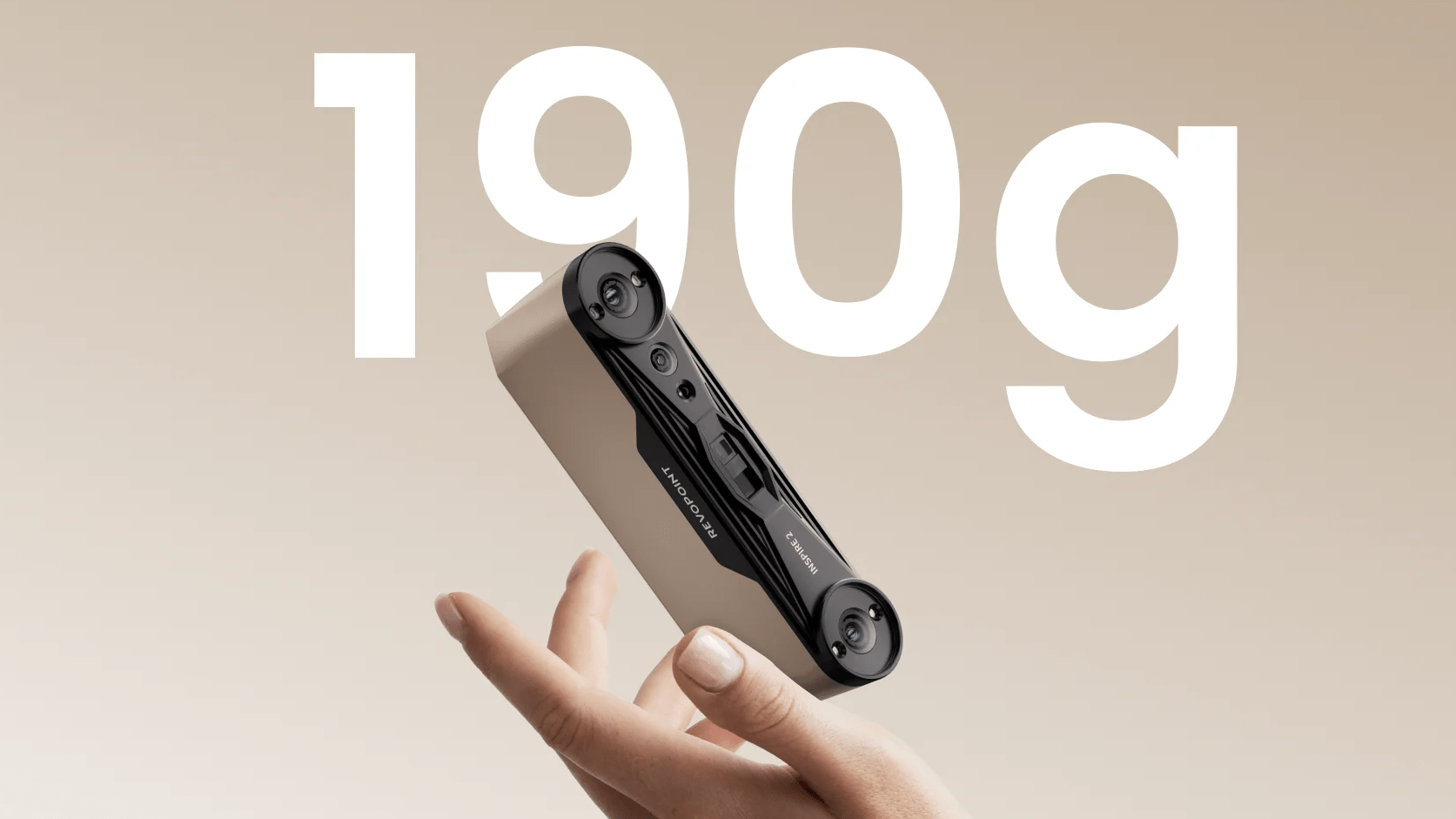
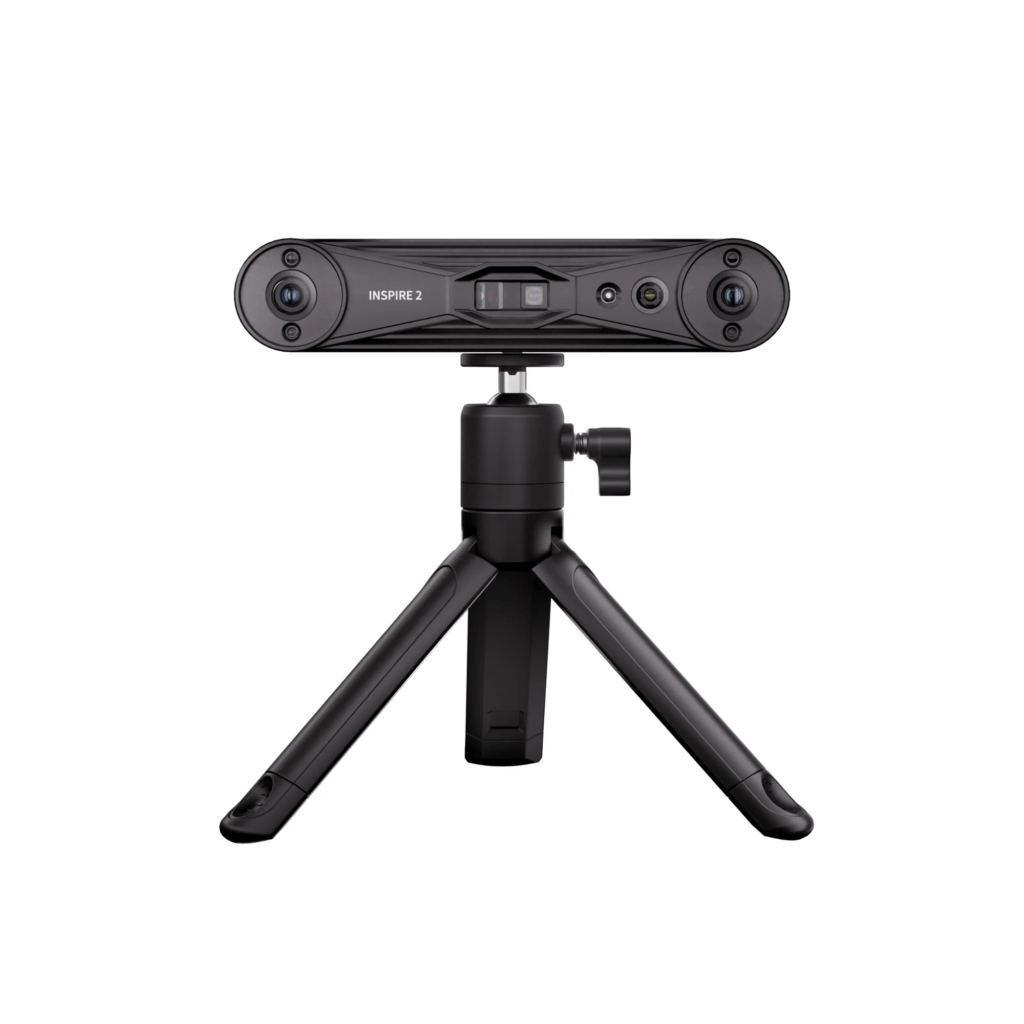
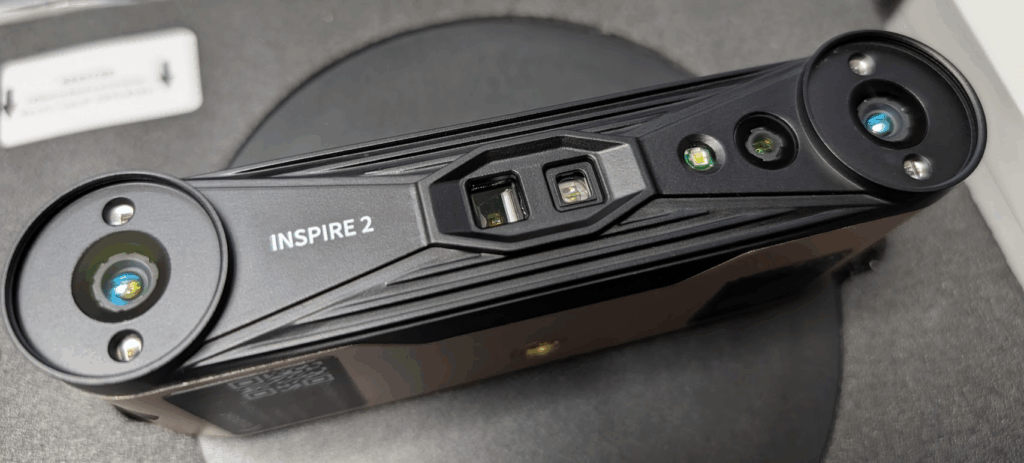
The scanner body includes the USB Type-C port, a power indicator, and a connection indicator. On the front are the two depth cameras, the projector, the RGB camera, and several fill LEDs (infrared and white flash).
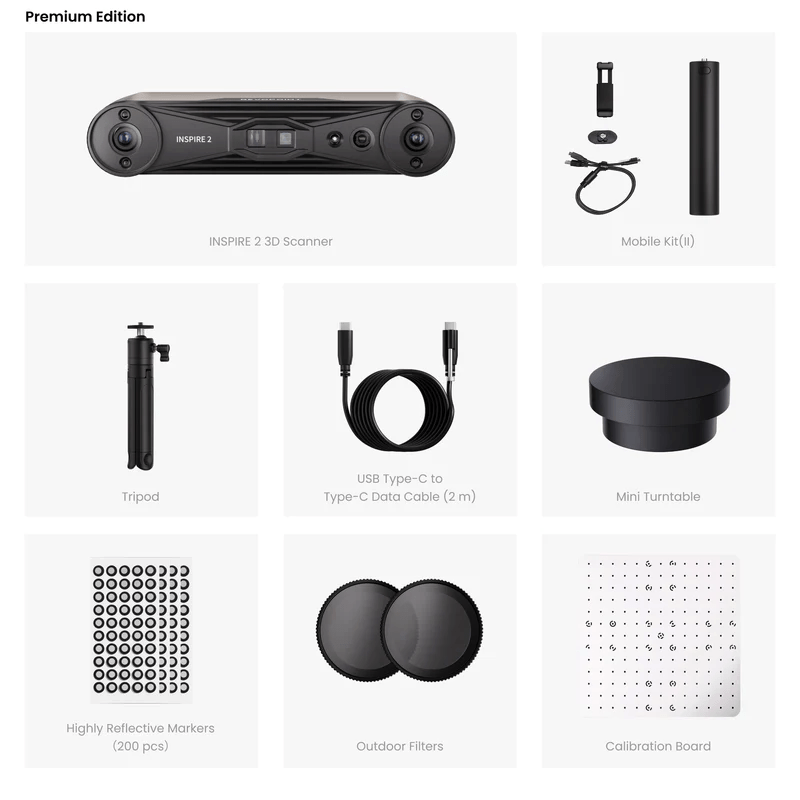
The standard package is well equipped for the maker starting out, including a tripod, a mini turntable, markers, a USB Type-C to Type-C cable, and a high-quality photolithographic calibration plate.
For mobile scanning, the Premium Edition or the mobile kit offers essential accessories such as the phone holder, the handle that functions as a power bank (4000mAh), and a 2-in-1 mobile cable. Additionally, it includes Outdoor Filters (ND filters) which are crucial to maximize its daylight scanning capacity (up to 20,000 lux).
Next, here are the technical features of this Revopoint INSPIRE 2:
 |  INSPIRE 2 | 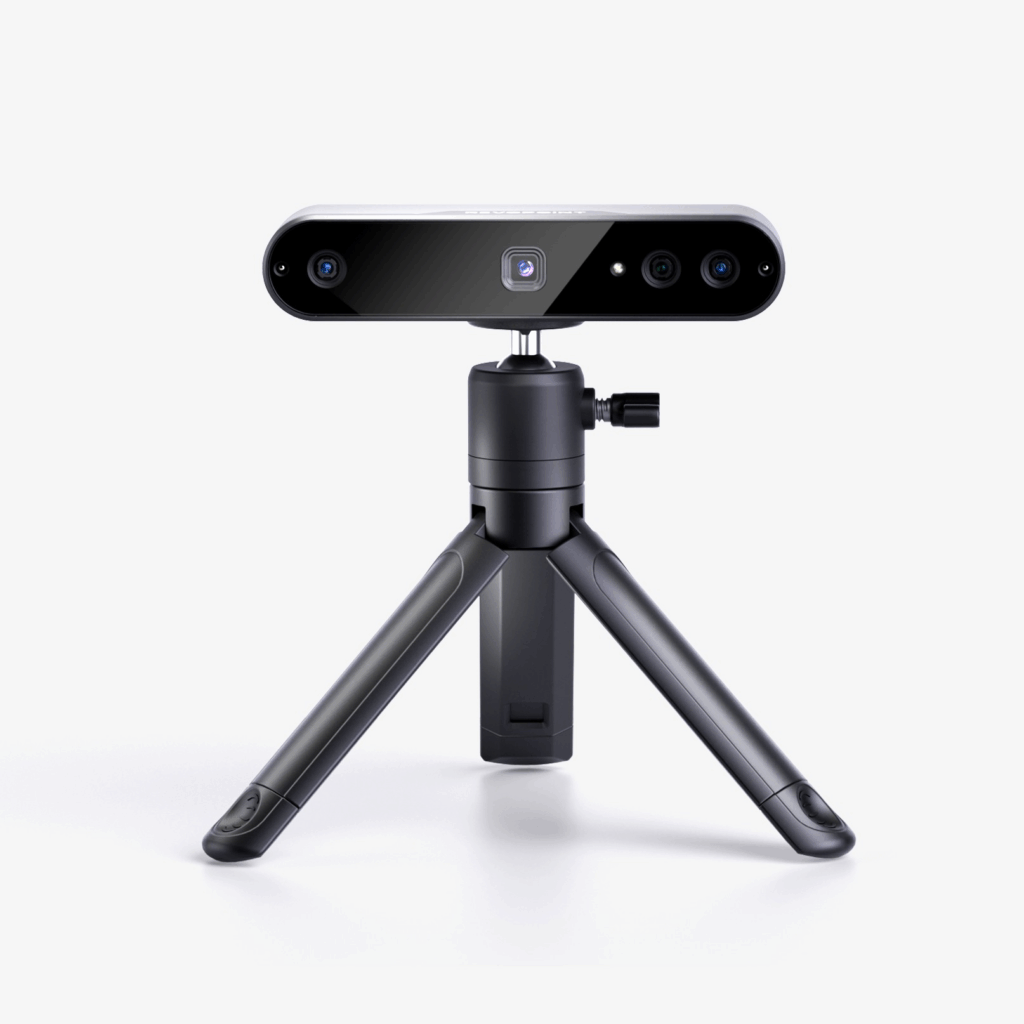 INSPIRE |
| Scanning Type | Handheld and Desktop | |
| Technology | Dual-camera Infrared Structured Light and Infrared Multi-line Laser | Dual-camera Infrared Structured Light |
| Scannable Object Size | Small to Medium | |
| Single-frame Precision/Accuracy, up to (1) | 0.03 mm / 0.05 mm | 0.2 mm accuracy |
| Volumetric Accuracy | 0.05 mm + 0.1 mm × L (m) , L is the length of the object. (Note: Using marker tracking mode) | |
| Fused Point Distance, up to | 0.1 mm | 0.1 mm |
| Working Distance Indoor/Outdoor | 200 ~ 400 mm / 150 ~ 250 mm | 250 ~ 500 mm indoor |
| Single Capture Area at Nearest/Furthest Distance (Indoor) | 130 × 129 mm at 200 mm / 293 × 257 mm at 400 mm | 162 x 111 mm at 250 mm / 308 x 225 mm at 500 mm |
| Angular Field of View (H × V) | 43 × 35° | |
| Minimum / Maximum Scan Volume | 20 × 20 × 20 mm / 2 × 2 × 2 m | 50 x 50 x 50 mm minimum |
| Scanning Speed, up to | Full-field Structured Light Scan: 18 fps Multi-line Laser Scan: 90 fps (GPU), 40 fps (CPU) | 14-18 fps |
| RGB Camera Resolution | 1280 × 800 | |
| Color Scanning | Yes | Yes |
| Tracking Methods | Feature, Marker, Global Marker | Feature, Marker, Global Marker |
| Outdoor Scanning (2) | Yes | Yes |
| 3D Light Source (3) | Class 1 Infrared Light | Class 1 Infrared Light |
| Fill Lights (4) | 4 Infrared LEDs | 2 Infrared LEDs |
| White Flash LEDs (4) | 1 White Flash LEDs | 1 White Flash LEDs |
| Built in Chip Computing | Depth Map Computing | |
| Buttons | 1 | 1 |
| Minimum PC Requirements | macOS CPU: M1 Pro/Max/Ultra RAM ≥ 16GB Windows CPU: Intel i7 13th Gen or AMD Ryzen 7 5800 RAM ≥ 16GB GPU : NVIDIA GeForce RTX 3060 (8GB) Note: ① If you’re unsure about the CPU configuration, please ensure that the CPU has cores≥8, threads≥16, and a base frequency ≥2.4GHz. ② Only in Laser Line Scanning modes, a dedicated graphics card is required for acceleration. AMD and MAC GPUs do not currently support acceleration. | macOS CPU: M1 Pro or better; RAM ≥ 8GB Windows CPU: Intel i7 12th Gen or better; RAM ≥ 16GB |
| Recommended PC Requirements | macOS CPU: M2 Pro/Max/Ultra, M3 Pro/Max/Ultra RAM ≥ 24GB Windows CPU: Intel i9 12th Gen or better RAM ≥ 64GB GPU: NVIDIA RTX 4060 (8 GB) or better | macOS CPU: M3 or better; RAM ≥ 8GB Windows CPU: Intel i9 11th Gen or better; RAM ≥ 32GB |
| Mobile Requirements | ① Android System Version: 9.0 or better; RAM ≥ 8 GB; Storage ≥ 128 GB ② iPhone Models after iPhone X; System Version: iOS 14.0 or better; RAM > 4 GB; Storage ≥ 64 GB ③ iPad 10th Gen iPad or later Note: Multi-line scanning mode does not support standalone mobile phone operation. It requires the scanner to connect to a PC via WiFi to work, with the screen being cast to the mobile phone in real-time. Full-field scanning mode can be used independently with a mobile phone. | |
| Compatible Operating Systems | Windows 10/11, Android, iOS, macOS 11.0(coming soon) or better | Windows 10/11, Android, iOS, macOS 11.0 or better |
| Output File Formats | PLY, OBJ, STL, ASC, 3MF, GLTF, FBX | PLY, OBJ, STL, ASC, 3MF, GLTF, FBX |
| Bluetooth | 4.1 | |
| Connector Type | USB Type-C | USB Type-C |
| Scanner Weight | 190 g | 140 g |
| Dimensions (L × W × H) | 53 × 27 × 132 mm | 132 x 45 x 27 mm |
| Special Object Scanning (4) | Using scanning spray is recommended when scanning transparent, specular surfaces | Use scanning spray for transparent, dark, or highly reflective objects. |
| Supported Accessories | Large Turntable, Dual-axis Turntable, Power Bank, Mobile Kit |
1. Precision is how close repeated measurements of the same object at a single angle are to each other. Accuracy is how close a measured value at a single angle is to the actual (true) value. They were both acquired in a controlled lab environment. Actual results might vary, subject to the operation environment.
2. Outdoor scans should avoid direct sunlight.
3. Class 1 Laser: Avoid direct eye exposure for extended periods! Refer to Standards for Class 1 Lasers for details.
4. This products have flashing lights, which may not be suitable for people with photosensitive epilepsy.
The strong point of the INSPIRE 2 for makers lies in its versatility of the dual mode. This duality allows selecting the ideal technology depending on the object to be digitized. We have:
- Infrared Structured Light (Full-field Scan): This mode, which operates quickly at 18 fps, is ideal for scanning objects with many geometric features and, crucially, for face and body scans without the need for markers.
It is the mode that provides the highest speed and is excellent for quickly capturing figures or statues.
- Láser Infrarrojo Multilínea (11 líneas paralelas): Este es el modo que ofrece la mayor precisión. El láser multilínea está especialmente diseñado para manejar superficies detalladas, oscuras o brillantes.
Aunque la velocidad de fotogramas es menor que en algunos escáneres láser de gama alta (hasta 30 fps), produce detalles más nítidos y bordes más definidos que la luz estructurada, proporcionando resultados utilizables en piezas mecánicas como carcasas de transmisión.
The INSPIRE 2 achieves a single-frame accuracy of up to 0.03 mm. This level of detail is essential for reverse engineering.
For objects with mixed or intricate geometry, the optical zoom function (1.5x and 2x) allows focusing structured light to capture detailed areas without sacrificing overall precision.
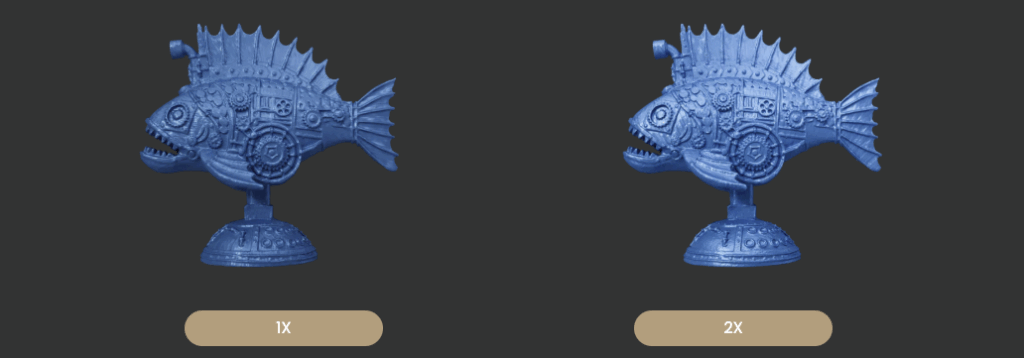
We have three tracking modes when scanning our objects… Feature, Marker, and Global Marker... something that will make scanning easier depending on the type of object.
Additionally, the use of structured lights works in all three modes, and for Marker and Global Marker modes, we can use laser light to improve captures.
Another very interesting feature is the possibility of color scanning of our pieces as real objects, artworks, or prototypes… for this, the INSPIRE 2 has an advanced RGB camera that will assist us in these tasks.
INSPIRE 2 Unboxing
As always, Revopoint includes in its kit everything necessary for the setup and use of the 3D scanner, all in a box where all the components are well protected. Continuing with the tradition, it will take us less than 10 minutes to have everything ready to start scanning objects.
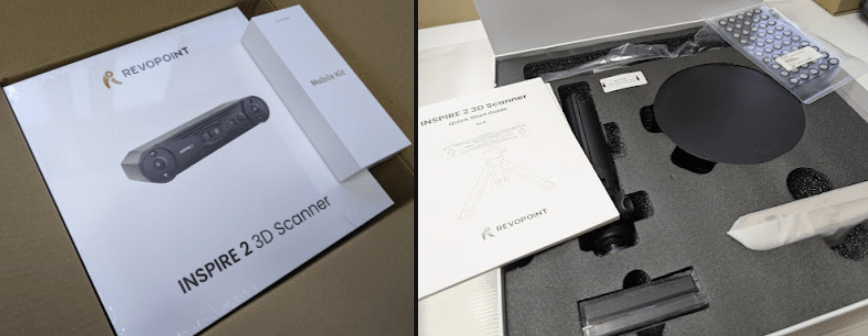
In our case, we were able to access the Premium Edition kit, which basically includes the Mobile Kit, an addition for the tripod that incorporates a battery to power the scanner, a phone support, and a connection cable… more than recommended if we are going to work outdoors or want to capture manually.
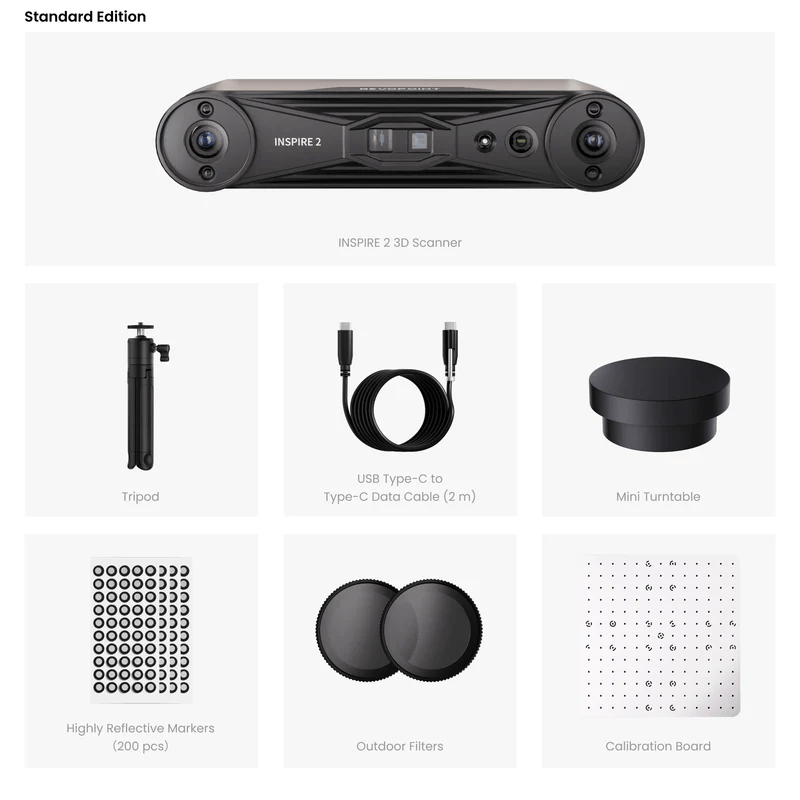
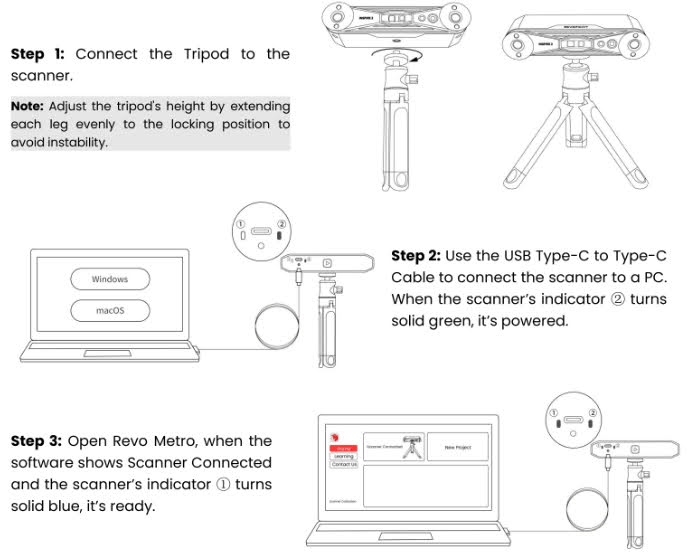
The first steps are very simple, where basically we will place the scanner on the tripod and connect the data/power cable to the scanner and to our computer… in case we use another method, we will only power the scanner with a USB-C charger.
In the following schemes, you will see a quick connection guide for each case:
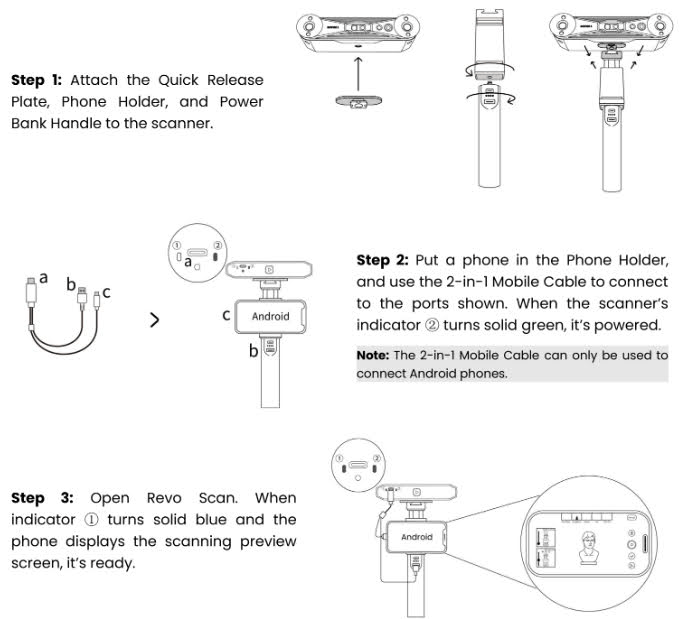
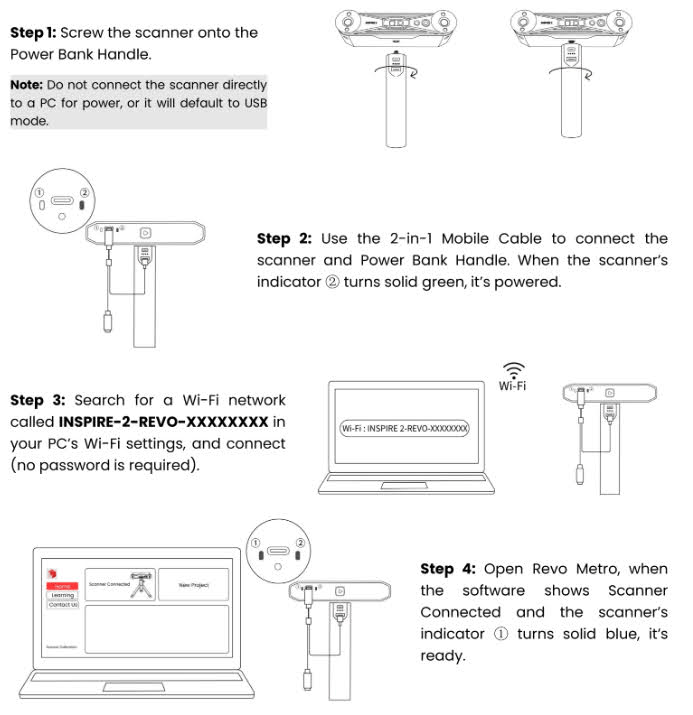
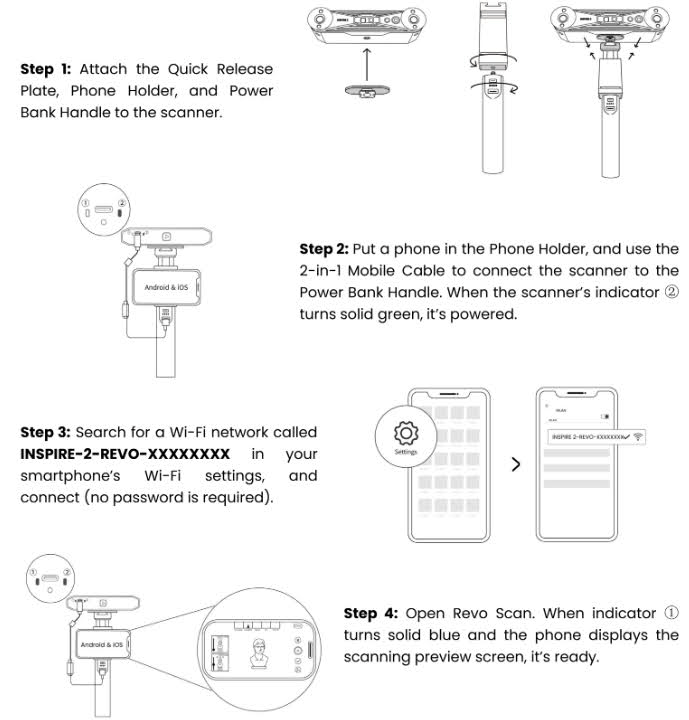
The software, whether it is Revo Metro for PC or Revo Scan for mobile, is quite simple and intuitive and includes a good number of tools and options for working with our scanned object that will be very useful to us in addition to maximizing the potential of our INSPIRE 2.
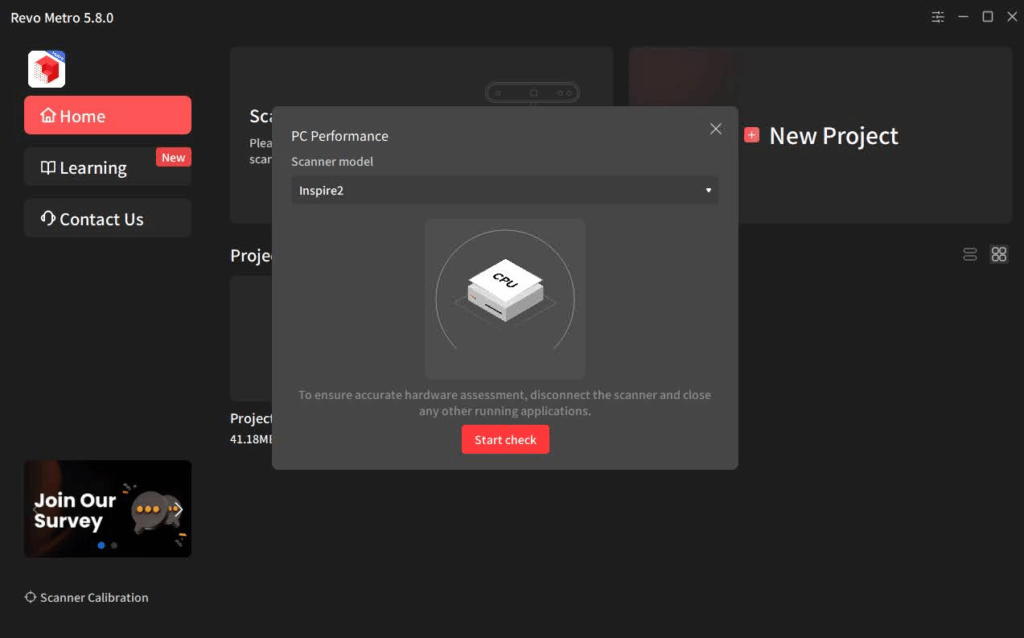
Once the verification that our equipment meets the requirements is completed, we connect the scanner and the software will detect it automatically.
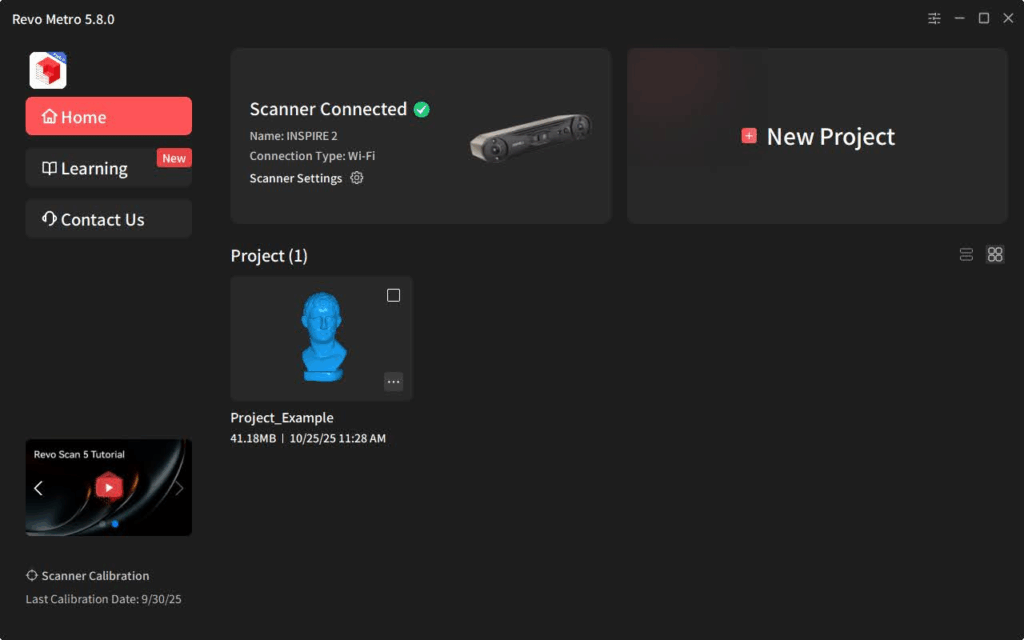
We already have our INSPIRE 2 ready to start scanning!!!… in any case, we leave you a video from Revopoint with these first steps:
Performance and tests of INSPIRE 2
Now from Revo Metro, or Revo Scan if you are using a mobile device, we start scanning an object that we want to process.
Of all the projects we have carried out, we are going to tell you a little about some that can help you see use cases and aspects to consider with this Revopoint INSPIRE 2.
We start with a simple object to see how our INSPIRE 2 performs, although simple, we carried out the process in an environment not fully prepared specifically for the scanner’s optimal use.
The goal was to check how it behaved in a normal unprepared environment and to see the performance of the scanner and the new Revo Metro software.
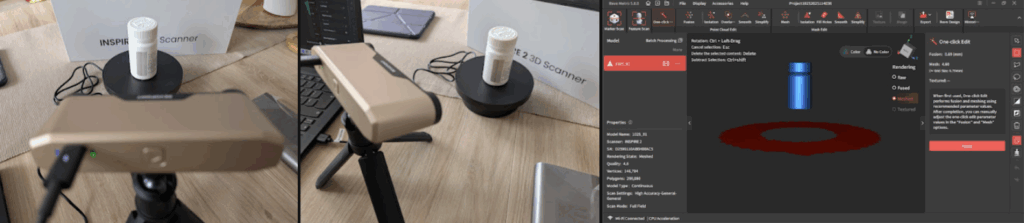
The results were very good, and we managed to obtain an object with high dimensional accuracy and good detail. The use of the rotating plate, included in the kit, greatly facilitates the process.
The following test was conducted on a very complex object and we adjusted the environment a bit since on this occasion the goal was to scan in color to see the result of the textured object.
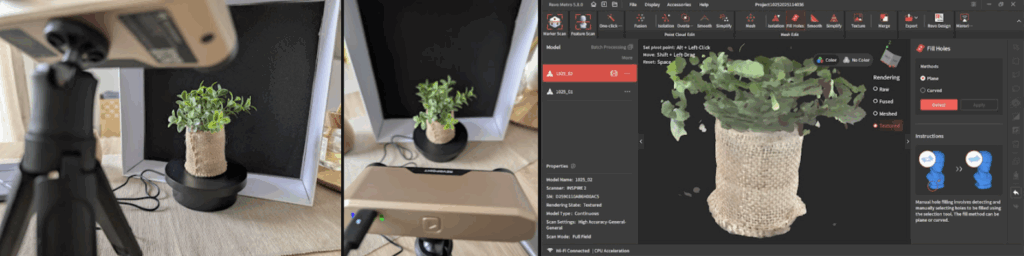
The result was again good and sufficient to be able to work on it later in 3D processing software to include it, for example, in a realistic 3D design of our room.
During the test process, our support for our Ring Doorbell suffered an accident and we decided to scan the assembly and design a new support, in this case with an angle to improve the camera’s view.
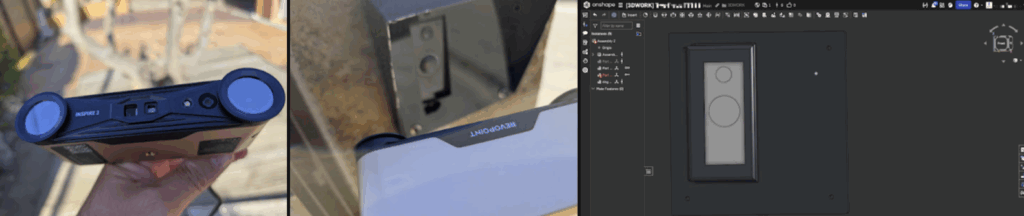
We performed the scan outdoors, installing the lenses included in the kit, from our mobile device, by hand, and we have to say that the INSPIRE 2 saved us a significant amount of time in taking measurements and interactions with test/error designs… our replacement for the support was successful on the first try!!! and it turned out impressively well.
Although we have done more projects during these test weeks, the INSPIRE 2 helped us redesign some supports for our CFS for the review we are doing of the Creality K2 Plus/Pro. Space is always limited, and it’s not bad to have more space, although we don’t like to place anything on top of the printers… to be able to fit more machines!!!
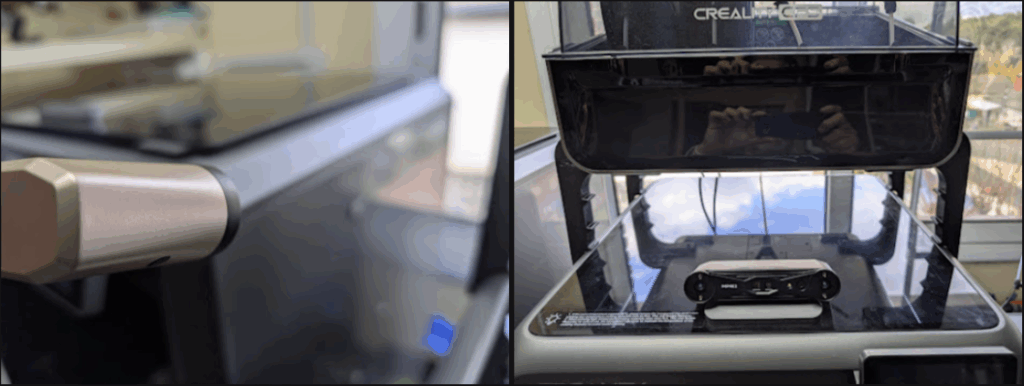
Again, tools like the INSPIRE 2 have allowed us to save many hours of design and trial/error… with a couple of iterations, we were able to have our support ready and working.
It is important to emphasize again that the INSPIRE 2 can operate with hardware with resources that are relatively normal today, but post-editing, especially fusion and meshing of complex projects, requires high memory and processing power. We emphasize this because if we do not have good equipment, the user experience will not be the best and problems such as freezing or failures can occur.
This is also important when used with mobile devices, although structured light scanning can be performed directly with a phone/tablet (Android/iOS) connected via Wi-Fi, the Multiline Laser mode requires the scanner to be connected to a PC via Wi-Fi, using the software Revo Mirror to duplicate the screen on the mobile. This will allow powerful desktop PC users (who do not have a laptop) to take advantage of the high-precision laser mode while maintaining mobility during scanning.
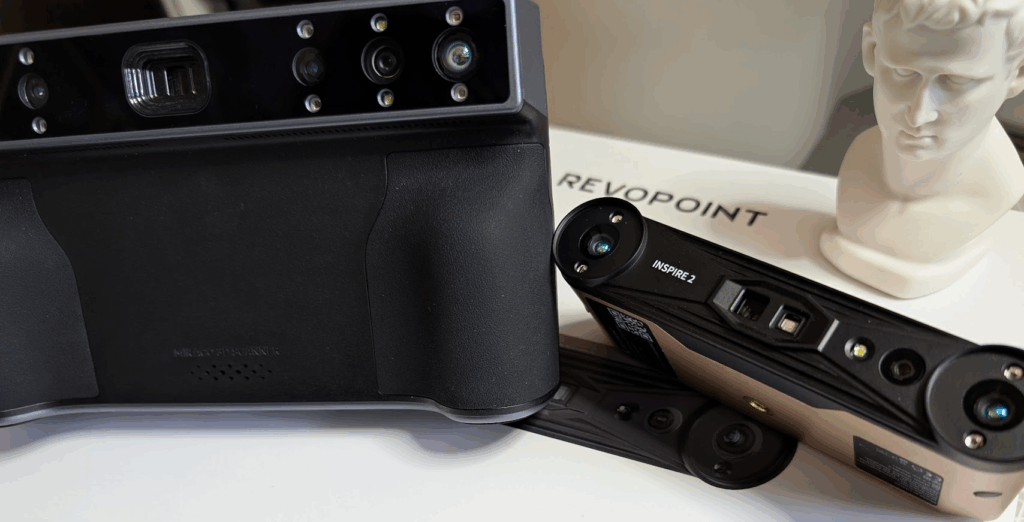
Although in our use case the Revopoint MIRACO is the version that works best for us due to its portability and options… we have to say that the performance of this INSPIRE 2 makes us think about whether to “retire” it.
Where to buy the Revopoint INSPIRE 2?
We have different options to get the Revopoint INSPIRE 2 both on its website and in other online stores:
Revopoint INSPIRE 2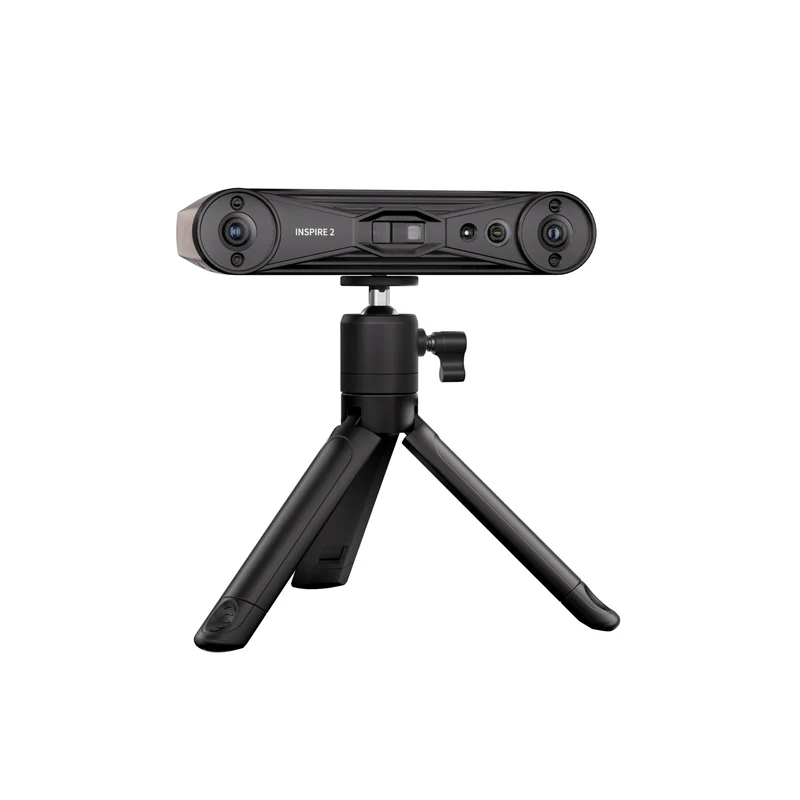 |  |  |
If you choose to buy directly from the Revopoint website, you can use the code BR3DWORK, which will give you an extra 2% discount on your purchases for being part of the 3Dwork family.
Also if you use Amazon link you will have another discount too… be fast as are limited in time!!!
Final review of Revopoint INSPIRE 2
The Revopoint INSPIRE 2 seems to us an extraordinarily competitive option in the 3D scanner segment due to its technical features and affordable price.
The incorporation of a dual system (Laser and Structured Light), along with a precision of 0.03 mm and the ability to scan outdoors, makes it a versatile and powerful tool. Especially useful for those makers looking to digitize mechanical parts, prototypes for 3D printing, or even perform full-body scans, the INSPIRE 2 offers features that are hard to match for its price.
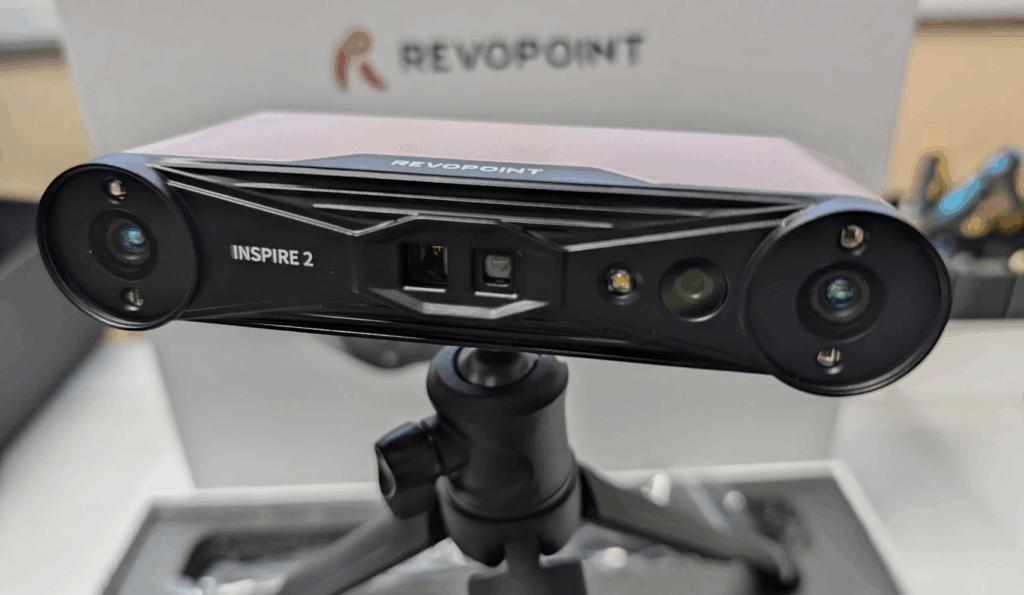
The process of scanning a physical object, processing it in the free software Revo Metro (with editing and merging functions), and exporting it in standard formats such as STL, OBJ, or 3MF for 3D printing is straightforward and quite simple, accessible to most users. Additionally, if the workflow requires reverse engineering, compatibility with Revo Design software (based on QUICKSURFACE Lite) facilitates the conversion of meshes to parametric CAD models, which, if we have 3D editing knowledge, will open up a wide range of opportunities.
The improvements introduced over the previous INSPIRE version are significant in many aspects, especially in precision and versatility, as we already mentioned earlier, in any case, here is a summary:
- multi-line laser
- a 75% more accurate 0.2 mm in the INSPIRE compared to 0.05 mm of the INSPIRE 2
- a 0.05 mmdoubling the fused point distance from 0.1mm to 0.05 mm
- optical zoom 1.5x and 2x
- improvements in outdoor scanning, up to 20K lux
- with dark or shiny surfaces it is possible to scan without spray in laser mode
- capture area is 30% larger
- the minimum scanning volume is reduced to 20 x 20 x 20 mm (from 50 mm)
- improvements in working distance
- improved capture speed
In summary, this INSPIRE 2 offers up to four times higher accuracy and twice the detail, additionally adding laser mode and outdoor scanning capability.
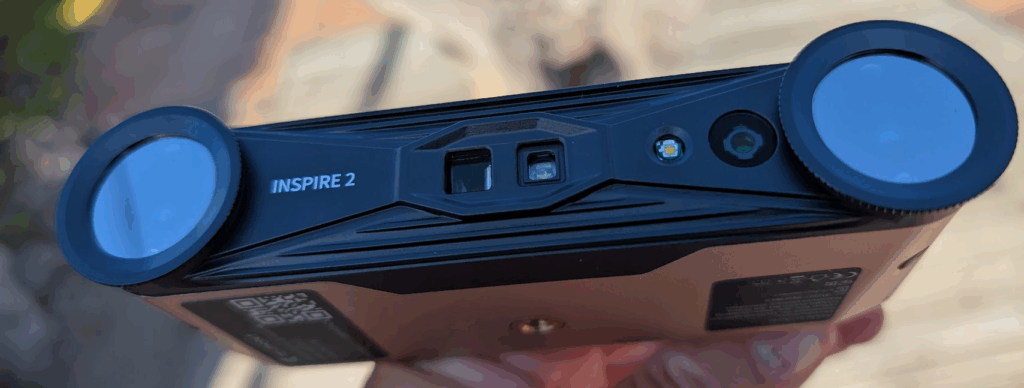
While optimal post-processing performance requires high-end PC hardware (especially 64 GB of RAM), and occasional connectivity issues on mobile devices can frustrate new users, once we get the scanner (preferably with PC and cable or Wi-Fi), the INSPIRE 2 lives up to the promise of delivering near-professional level results at an incredible price. It is the ideal tool for the maker who is ready to invest in quality after experimenting with basic options.


